Scores
Introducing - Scores
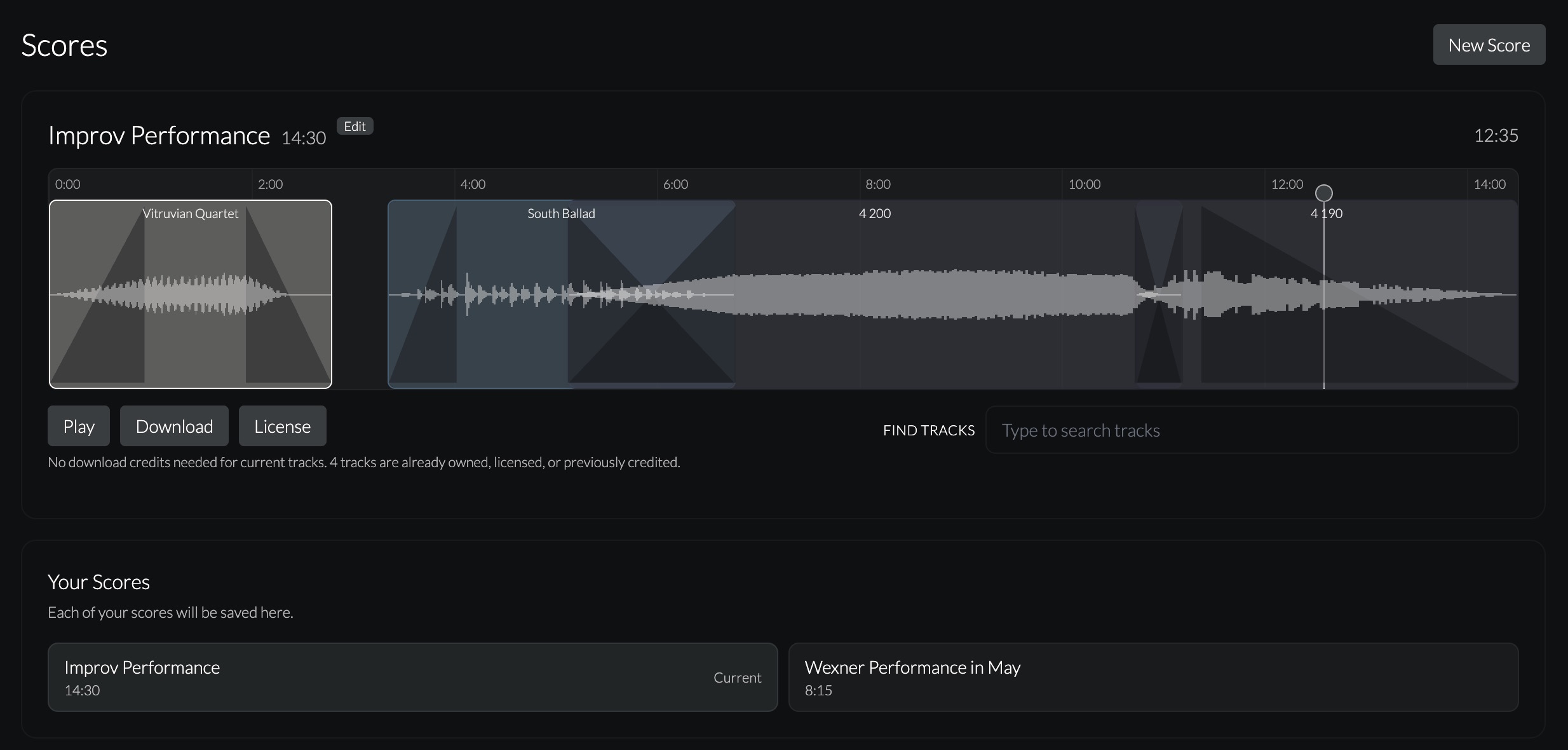
Scores is a new tool I’ve made for editing and mixing music from Sound for Movement right on the website.
Lots of folks don’t have regular access to music editing tools and cannot build a collection of Scores for teaching, rehearsing, choreographing, and performing. Many others write in asking if it’s okay to edit music as needed for their projects. The new Scores page solves both with a simple-to-use music timeline.
Here’s the flow:
- Pick a name for your Score
- Choose a duration (up to 2 hours)
- Select music using “Find Track”
- Trim and add fade-ins and fade-outs using handles
- Add multiple tracks and overlap them for crossfades
- Play back and scrub to listen to the Score timeline
- Download a high-quality audio file
- License your Score whenever you need
The coolest thing about this is you can have silence. This means teachers who move with students throughout class can set up exact Scores for improv and choreography classes. It’s a different kind of playlist that you can design with pauses in the sound, which I used to do all the time when playing these situations live.
Scores autosaves after every change in the background, so you won’t ever lose your work. You can have many Scores that you can reopen, adjust as needed, and re-license for a different performance or showing. This comes up a lot when choreographers show excerpts of longer works and need to make a new edit of the music.
Another use case is rehearsals. With Scores, you can nudge edits, adjust fades, and play back the changes right there. If a few weeks later you need to move a music track over “just a hair 😉,” you can open the same Score and make the adjustment.
Licensing for each Score is baked in, so you can instantly purchase a license that includes all the tracks you used. For subscribers, you can use both your Download Credits and License Credits with Scores. For all other users, you can purchase tracks and licenses as you go, as needed.
You do not need to license the music to use Scores. Anyone can try it now to see how simple it is. If you have students, this is a great teaching tool and an introduction to editing music together for dance. It even works on mobile (but it’s super tiny), so for long Scores I recommend using a laptop, desktop, or medium-sized tablet.
I am so excited to hear what you all think. I would love any feedback on what’s working and how it could be better. Have fun. It brings me so much joy to be able to make tools like this now.